

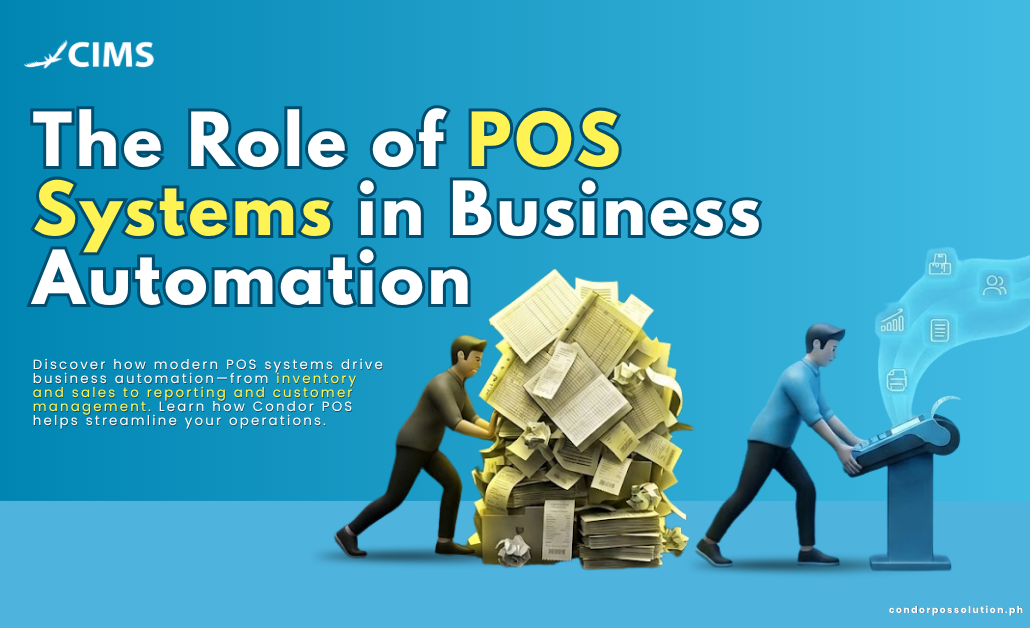
Running a business often means juggling multiple tasks at once—tracking sales, monitoring inventory, managing employees, and ensuring customers receive excellent service. For many business owners, these responsibilities are still handled manually, consuming valuable time and increasing the risk of costly mistakes.
This is where POS systems in business automation play a critical role. Modern Point of Sale (POS) systems have evolved far beyond simple cash registers. Today, they serve as powerful business automation tools that streamline operations, reduce manual workloads, and provide real-time insights that support smarter decision-making.
As businesses face growing competition and rising operational costs, automation has become essential for maintaining efficiency and profitability. Whether you’re running a retail store, restaurant, café, or service-based business, an automated POS software solution can help simplify daily operations and improve overall performance.
In this article, we’ll explore how POS systems drive business automation, the benefits they offer across industries, and what to look for when choosing the right solution for your business.
What Is Business Automation?
Business automation refers to the use of technology to perform repetitive tasks and workflows with minimal human intervention. Instead of relying on manual processes, businesses can automate routine operations to improve speed, accuracy, and consistency.
Common areas where automation is applied include:
- Inventory management
- Payroll processing
- Sales reporting
- Customer communications
- Appointment scheduling
- Accounting and bookkeeping
The primary goal of automation is to improve operational efficiency while reducing labor-intensive tasks. By minimizing manual work, businesses can lower costs, reduce human error, and allow employees to focus on more strategic activities.
For small and growing businesses, automation may sound complex or expensive. However, one of the most accessible entry points into workflow automation is a modern POS system. By centralizing sales, inventory, customer data, and reporting into a single platform, businesses can achieve significant automation without investing in multiple software solutions.
How POS Systems Drive Business Automation
Modern POS systems are at the center of business operations. They automate critical processes that would otherwise require hours of manual work every week.
Automated Sales Tracking and Reporting
Every transaction processed through a POS system is automatically recorded in real time.
Instead of manually counting receipts or compiling spreadsheets, business owners can instantly access:
- Daily sales summaries
- Weekly performance reports
- Monthly revenue analyses
- Product sales trends
- Peak business hours
- Employee sales performance
This automation eliminates manual reporting and provides immediate visibility into business performance.
With Condor POS, business owners gain access to comprehensive dashboards and analytics tools that transform raw sales data into actionable insights. Reports are generated automatically, enabling faster and more informed decision-making.
Benefits
- Accurate real-time reporting
- Reduced administrative work
- Faster business analysis
- Improved forecasting
Inventory Management Automation
Inventory management is one of the most time-consuming aspects of running a business. Manual stock counts can lead to discrepancies, stockouts, and excess inventory.
Automated POS software simplifies inventory control by:
- Deducting stock automatically after every sale
- Monitoring inventory levels in real time
- Generating low-stock alerts
- Triggering reorder notifications
- Tracking inventory across multiple locations
This level of automation helps businesses maintain optimal stock levels while reducing waste and carrying costs.
Condor POS provides advanced inventory tracking features that give businesses complete visibility over product movement and stock availability.
Benefits
- Prevent stock shortages
- Reduce over-ordering
- Improve inventory accuracy
- Save hours of manual inventory work
Employee and Labor Management
Managing employee schedules, attendance, and payroll can quickly become overwhelming without automation.
Many POS systems now include labor management tools that allow businesses to:
- Track employee clock-ins and clock-outs
- Calculate hours worked automatically
- Monitor overtime
- Record tips and commissions
- Manage employee permissions
Role-based access controls also help protect sensitive information while ensuring employees only access the functions relevant to their responsibilities.
By automating labor management tasks, businesses can reduce payroll errors and improve accountability.
Benefits
- More accurate payroll processing
- Reduced administrative burden
- Better employee accountability
- Improved workforce management
Customer Relationship Management (CRM) Automation
Customer retention is often more profitable than acquiring new customers. That’s why CRM automation has become an essential component of modern POS systems.
A POS system can automatically collect valuable customer information, including:
- Purchase history
- Visit frequency
- Preferred products
- Spending patterns
Businesses can then use this data to automate:
- Loyalty programs
- Rewards tracking
- Personalized promotions
- Birthday discounts
- Customer re-engagement campaigns
Instead of manually managing customer databases, businesses can build stronger relationships through targeted marketing campaigns that run automatically.
Benefits
- Increased customer retention
- Improved customer engagement
- Personalized marketing efforts
- Higher repeat purchase rates
Payment Processing and Accounting Integration
Modern consumers expect flexible payment options. POS systems simplify payment processing by supporting:
- Cash payments
- Credit and debit cards
- QR payments
- Mobile wallets
- Contactless payments
Beyond payment acceptance, POS systems can integrate directly with accounting platforms to automate bookkeeping tasks.
This includes:
- Automatic transaction syncing
- Sales tax calculations
- End-of-day reconciliation
- Financial reporting
By eliminating manual data entry, businesses reduce accounting errors and save significant administrative time.
Benefits
- Faster transactions
- Reduced reconciliation errors
- Improved financial accuracy
- Streamlined accounting processes
Multi-Location and Multi-Channel Synchronization
Businesses operating multiple branches face unique challenges when managing inventory and sales across locations.
Cloud-based POS systems provide centralized control by synchronizing:
- Inventory data
- Sales reports
- Customer information
- Employee performance metrics
For businesses selling both online and in-store, POS automation ensures inventory updates occur in real time across all channels.
This creates a unified view of operations and helps prevent overselling or inventory discrepancies.
Benefits
- Centralized management
- Real-time business visibility
- Better inventory control
- Improved scalability
Industry-Specific Benefits of POS Automation
Retail Businesses
Retail automation helps businesses improve efficiency while enhancing customer experiences.
Key benefits include:
- Automated seasonal inventory reordering
- Faster checkout through barcode scanning
- Reduced pricing errors
- Instant product updates across all terminals
- Better inventory forecasting
Retailers gain greater control over stock movement while improving customer service and sales performance.
Restaurants and Food Service
Restaurant POS automation helps streamline operations from the dining area to the kitchen.
Benefits include:
- Kitchen Display System (KDS) integration
- Automated order routing
- Table management automation
- Split billing functionality
- Automatic tip calculations
- Daily revenue tracking
Restaurants can reduce order errors and improve service speed while maintaining accurate financial records.
Service-Based Businesses
Service businesses can also leverage POS automation to improve customer experiences.
Common features include:
- Appointment scheduling
- Automated invoicing
- Payment reminders
- Staff scheduling
- Service tracking
These tools help service providers manage appointments and payments more efficiently.
The Business Case: ROI of POS Automation
Investing in POS automation is not just about convenience—it’s about improving profitability.
Businesses that automate manual processes often experience:
- Reduced labor costs
- Fewer inventory errors
- Faster transaction times
- Improved customer retention
- Better operational visibility
Automated inventory management can save several hours each week that would otherwise be spent performing manual stock counts. Likewise, automated sales reporting eliminates the need for manual spreadsheet creation and analysis.
Faster checkout experiences also increase customer throughput, allowing businesses to serve more customers during peak hours.
Perhaps most importantly, access to real-time business data enables smarter purchasing decisions, reducing waste and improving margins.
When employees spend less time on repetitive administrative tasks, they can focus on customer service, sales, and growth initiatives that directly impact revenue.
What to Look for in a POS System for Automation
Choosing the right POS system is critical for maximizing automation benefits.
Look for a solution that includes:
Real-Time Reporting and Analytics
Access up-to-date sales, inventory, and performance data whenever you need it.
Inventory Tracking with Low-Stock Alerts
Automate stock monitoring to prevent shortages and overstock situations.
Built-In CRM and Loyalty Tools
Strengthen customer relationships through automated marketing and rewards programs.
Employee Management Features
Track attendance, labor costs, and employee performance from one platform.
Accounting and E-Commerce Integrations
Ensure seamless data flow across your business systems.
Cloud-Based Accessibility
Manage operations from anywhere with real-time access to business information.
Ease of Use
Choose a system that employees can learn quickly and confidently.
Reliable Support
Look for a provider that offers responsive customer support and onboarding assistance.
Condor POS was built with all of these capabilities in mind, helping businesses automate.
Why Choose Condor POS for Business Automation?
Condor POS is designed to help retail stores, restaurants, cafés, and growing businesses simplify operations through intelligent automation.
With an intuitive interface, employees can quickly learn the system, reducing training time and accelerating adoption. Powerful automation features come built in, eliminating the need for costly add-ons or third-party tools.
Businesses using Condor POS benefit from:
- Automated inventory tracking
- Real-time reporting dashboards
- CRM and loyalty management
- Multi-location support
- Flexible payment integration
- Dedicated customer support
Many businesses report significant time savings after implementation.
“Since switching to Condor POS, our end-of-day closing process is dramatically faster, giving managers more time to focus on operations.”
As your business grows, Condor POS scales alongside you, ensuring your automation capabilities continue to support expansion.
Ready to automate your business? Book a free demo with Condor POS today.
Or explore our features and discover how automation can help your business operate smarter, faster, and more profitably.
