

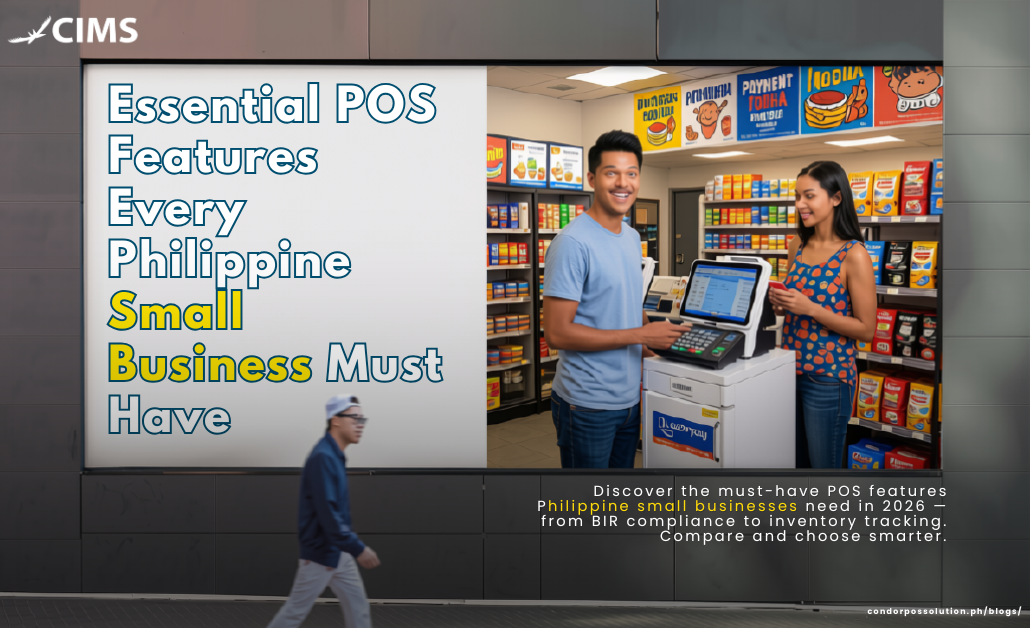
Running a small business in the Philippines is becoming more digital. Customers expect faster service, convenient payment options, accurate receipts, and better overall shopping or dining experiences. At the same time, business owners need better ways to manage sales, inventory, employees, and compliance.
For many small businesses, relying on notebooks, calculators, spreadsheets, or manual inventory counts can lead to errors, lost sales, and unnecessary work. A POS system for small businesses in the Philippines can bring these processes together in one platform.
But not every POS system offers the same capabilities. From BIR-related requirements and inventory tracking to GCash payments and multi-branch management, here are the essential POS features Philippines businesses should look for in 2026.
Why POS Software Matters for Philippine Small Businesses
Micro, small, and medium enterprises (MSMEs) make up the vast majority of businesses in the Philippines. According to the Department of Trade and Industry (DTI), 99.63% of the country’s registered business establishments in the 2024 statistics were MSMEs.
Digitalization is also becoming an important part of how these businesses compete. DTI has emphasized digital transformation as a way for MSMEs to improve competitiveness, reach customers, and operate more efficiently.
Payments are changing as well. The Bangko Sentral ng Pilipinas (BSP) has continued developing the country’s digital payment infrastructure, including QR Ph, InstaPay, and other electronic payment channels.
For a small restaurant, café, retail store, convenience store, pharmacy, or even a growing sari-sari store, the right POS can help turn daily transactions into useful business data.
1. BIR-Compliant Receipt and Reporting Features
One of the first things Philippine business owners should consider is tax and invoicing support.
A POS should be capable of generating the appropriate sales documents and maintaining accurate transaction records. This is particularly important because BIR rules have changed under the Ease of Paying Taxes (EOPT) framework.
Under BIR Revenue Memorandum Circular No. 77-2024, invoices became the primary evidence for recording sales, while Official Receipts are generally treated as supplementary documents under the new invoicing rules.
Look for a POS with features such as:
- Sales invoice generation
- VAT and tax computation
- X-reading and Z-reading reports, where applicable
- Detailed transaction records
- Audit trails
- Sales reporting
- Support for computerized accounting and sales systems
- Configuration aligned with applicable BIR requirements
BIR itself maintains registration processes for computerized accounting systems and POS machines, so businesses should verify that their chosen setup and implementation meet the requirements applicable to their business.
Important: A POS being marketed as “BIR-compliant” does not automatically make a business compliant. Proper registration, configuration, documentation, and implementation still matter.
2. Inventory Management and Stock Tracking
Inventory problems can quickly eat into a small business’s profits.
Without an automated inventory system, employees may need to manually count products, update spreadsheets, or check stockroom shelves. These processes become increasingly difficult as the number of products and transactions grows.
A good POS should provide:
- Real-time inventory tracking
- Stock-in and stock-out monitoring
- Low-stock alerts
- Reorder levels
- Barcode scanning
- Product movement reports
- Stock adjustment records
- Transfer tracking between branches
- Expiry-date monitoring when needed
For example, a POS system for a sari-sari store can help owners monitor fast-moving products, while groceries and pharmacies can benefit from batch and expiry tracking.
For restaurants, inventory management can also help monitor ingredients and reduce unnecessary waste.
3. Multiple Payment Method Support
Filipino consumers increasingly use different payment methods depending on the business and transaction.
A modern POS should support more than cash. Depending on the provider and integrations available, businesses may need support for:
- Cash
- Credit and debit cards
- GCash
- Maya
- QR Ph
- Other digital wallets
- Bank or payment gateway integrations
- Split payments
- Partial payments
The BSP’s National Retail Payment System supports the development of safe, efficient, and reliable electronic retail payments in the Philippines.
The advantage of integrating payments with your POS is simple: transactions can be recorded more accurately while reducing manual encoding.
4. Sales Reporting and Business Analytics
A POS should do more than process payments. It should help you understand your business.
Instead of simply knowing how much money was collected today, business owners should be able to see why sales changed and which products are driving revenue.
Useful POS reports include:
- Daily sales
- Weekly and monthly sales
- Sales by product
- Best-selling products
- Slow-moving products
- Sales by cashier
- Sales by payment method
- Discounts and refunds
- Peak sales periods
- Gross sales and net sales
- Branch performance
These reports can help owners make better decisions about pricing, promotions, purchasing, staffing, and inventory.
For example, if a café discovers that certain products consistently sell during afternoon hours, it can create targeted promotions around that period.
5. Multi-Branch Management and Cloud Access
Growth often means opening another location.
Managing multiple branches through separate spreadsheets and systems can make reporting difficult. A centralized POS allows business owners and managers to monitor operations across locations.
Look for features such as:
- Centralized product management
- Branch-level sales reports
- Consolidated sales reporting
- Stock transfers
- Employee management
- Real-time synchronization
- Centralized pricing and promotions
- Cloud-based access
With a cloud-based POS, authorized users can access business information from a laptop, tablet, or smartphone, depending on the system.
This is especially useful for owners who don’t spend every day inside the store.
6. Offline Mode and System Reliability
Internet connectivity remains an important consideration when choosing a POS in the Philippines.
Businesses outside major urban areas or locations with unstable connectivity can experience interruptions. If a POS depends entirely on an internet connection, an outage could potentially affect daily transactions.
An ideal system should have an offline mode that allows essential transactions to continue when the connection is temporarily unavailable.
Once connectivity is restored, the system should be able to synchronize the stored transactions.
Before choosing a POS, ask:
“What happens if our internet connection goes down?”
The answer can tell you a lot about how prepared the system is for real-world business conditions.
7. Employee Management and Access Controls
A POS can also help business owners manage employees and protect sensitive information.
Instead of giving every employee access to the same functions, businesses can assign different permissions based on their roles.
For example:
Owner: Full access to reports, settings, inventory, and financial information.
Manager: Access to sales, inventory, employees, and selected reports.
Cashier: Access primarily to sales transactions and assigned cashier functions.
Useful employee-management features include:
- Individual cashier accounts
- Login and logout tracking
- Role-based permissions
- Shift management
- Cash drawer reconciliation
- Void and refund controls
- Discount authorization
- Employee sales reports
These controls can improve accountability and help business owners identify unusual transactions or discrepancies.
8. Customer Relationship and Loyalty Tools
A POS can also become a customer-management tool.
Instead of treating every transaction as an isolated sale, businesses can use customer information to understand buying behavior and encourage repeat purchases.
Useful features include:
- Customer profiles
- Purchase history
- Loyalty points
- Rewards programs
- Customer segmentation
- Promotions
- Discount management
- Birthday or special-event promotions
For Philippine businesses, discount handling is particularly important. A POS can help apply configured Senior Citizen and PWD discounts accurately and consistently based on the business’s applicable requirements.
Automating these calculations can reduce cashier errors and make transactions faster.
9. Accounting and E-Commerce Integration
As a business grows, its POS should not become another isolated system.
Look for integration options that connect your POS with other business tools, such as:
- Accounting software
- Payment gateways
- E-commerce platforms
- Online ordering systems
- Delivery platforms
- Customer management tools
- APIs and third-party applications
For businesses selling through online marketplaces or social commerce, integrations can help reduce duplicate encoding.
Instead of manually copying orders from one platform to another, integrated systems can potentially synchronize relevant information and reduce administrative work.
Not every business needs every integration, so choose based on your actual sales channels and future plans.
10. Ease of Use and Local Customer Support
A POS system can have dozens of advanced features, but those features are less useful if employees struggle to operate the system.
For small businesses, ease of use should be a major consideration.
Look for:
- Simple and intuitive interface
- Fast checkout process
- Easy product setup
- Straightforward reports
- Easy employee onboarding
- Training resources
- Responsive customer support
- Local support availability
- Support for Philippine business requirements
This is especially important when your employees have different levels of technical experience.
A good POS should make daily operations easier—not create another complicated process for your staff.
How to Choose the Right POS System for Your Business
The best POS system in the Philippines isn’t necessarily the one with the most features. It is the one that fits your business requirements, budget, workflow, and growth plans.
Before choosing a system, consider these questions:
1. What type of business do you operate?
A restaurant may need table management, kitchen display systems, and ingredient inventory. A retail store may prioritize barcode scanning, product variants, and stock management.
2. How many branches do you have?
If you currently operate one location but plan to expand, choose a system that can scale with additional branches.
3. What payment methods do your customers use?
If customers frequently use GCash, Maya, cards, or QR payments, make sure your POS can support the payment methods relevant to your business.
4. What reports do you need?
Ask for a demonstration of the actual reports—not just a list of features.
5. What happens when the internet goes down?
Ask whether the system supports offline transactions and how synchronization works afterward.
6. What are the total costs?
Don’t look only at the initial POS price. Ask about:
- Software fees
- Hardware
- Installation
- Training
- Support
- Maintenance
- Additional branches
- Additional users
- Payment integrations
7. Does the provider understand Philippine requirements?
Ask about BIR-related configuration, invoicing, local payment methods, support, and business requirements.
Why Condor POS Checks These Boxes
For Philippine businesses looking for a POS solution, Condor POS Solutions provides systems designed to support different business environments—from restaurants and cafés to retail operations and growing multi-branch businesses.
Depending on the solution and business setup, a POS platform can help with:
- Sales and invoicing
- Inventory management
- Sales reporting
- Employee management
- Customer management
- Multiple payment methods
- Multi-branch operations
- Business analytics
- BIR-related POS requirements
- Cloud or on-premise deployment
For F&B businesses, CukCuk provides cloud-based POS capabilities designed around restaurant operations. For businesses requiring a more traditional on-premise setup, CIMS is designed for medium-to-large retail operations.
The key is to choose the system that matches your actual workflow rather than paying for features your business doesn’t need.
Ready to find the right POS for your business? Talk to Condor POS Solutions to discuss your business requirements and explore the right POS setup for your store, restaurant, or growing enterprise.
Looking for a POS system for your Philippine business? Contact Condor POS Solutions and find a setup that fits your business needs.
