
A POS machine (Point of Sale system) is an essential tool for businesses to process payments, manage sales, and streamline daily operations. Modern POS systems in the Philippines go beyond simple payment processing. They also track inventory, generate reports, print receipts, and support multiple payment methods from a single platform.
This step-by-step guide shows you how to set up a POS machine properly. It is designed for first-time users who want a smooth, reliable daily operation for their business.
What You Need Before Setting Up a POS System
Before installing your POS system, gather all required components to avoid delays.
POS software
Choose between cloud-based or locally installed software. Make sure your account is active and licensed.
POS hardware
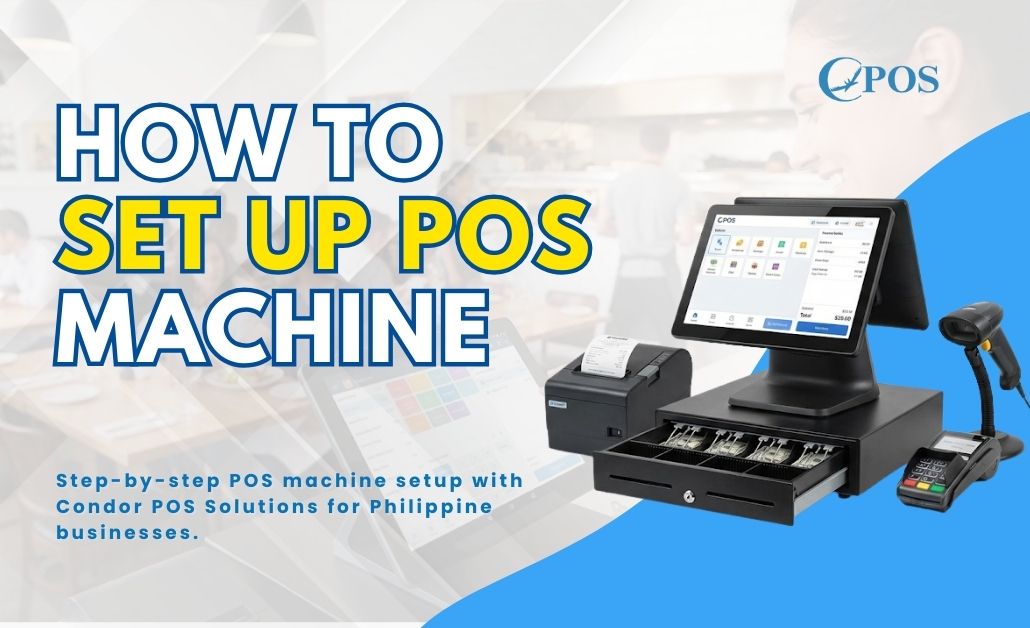
This usually includes a terminal or tablet, receipt printer, cash drawer, barcode scanner, and card reader. Confirm that all hardware is compatible with your POS software.
Reliable internet connection
This is required for cloud-based POS systems, digital payment processing, and real-time reporting.
Business information
Prepare your product list, prices, tax rates, and receipt details.
Payment processor or merchant account
This is required to accept credit cards, debit cards, QR payments, and mobile wallets.
Step-by-Step Guide to Set Up a POS Machine
1. Unbox and Connect Your POS Hardware
- Unbox your POS terminal and accessories
- Connect the power supply and turn on the terminal
- Connect peripherals such as the receipt printer, barcode scanner, card reader, and cash drawer
- Make sure all devices are powered on and properly connected
2. Install or Log In to POS Software
- For cloud-based POS, log in using your business credentials
- For locally installed POS, download the software from a trusted provider such as Condor POS Solutions
- Allow system updates to install to ensure you are using the latest version
3. Configure Your Business Settings
- Enter your business name, logo, and operating hours
- Set up tax rules based on Philippine regulations
- Customize receipt layouts with essential business details
- For restaurants or cafes, configure table layouts or service areas if supported
4. Add Products and Manage Inventory
- Add product or menu item names, prices, categories, and SKUs
- Upload product images for easier identification
- Set inventory levels and low-stock alerts
- Organize items for faster checkout
5. Set Up Payment Methods
- Connect your POS system to your payment processor or merchant account
- Enable cash, credit cards, debit cards, QR payments, and mobile wallets commonly used in the Philippines
- Test card readers and payment flows to confirm successful transactions
6. Customize Receipts and Printer Settings
- Choose what details appear on receipts
- Include business info, itemized purchases, totals, and messages
- Print a test receipt to check alignment and clarity
- Set up kitchen printers or customer-facing displays if needed
7. Add Users and Set Permissions
- Create user accounts for cashiers and managers
- Assign roles and permissions to limit access to sensitive features
- Enable PIN codes or passwords for secure logins
8. Run a Test Transaction
- Add an item to the cart
- Apply discounts if needed
- Complete a payment
- Print a receipt
- Confirm inventory, payments, and reports update correctly
Tips for a Smooth POS Setup
- Label hardware ports and cables for easy maintenance
- Use surge protectors to prevent damage from power fluctuations
- Back up POS data regularly, especially for on-premise systems
- Train staff after setup to reduce operational errors
- Contact your POS provider’s support team if you encounter issues
Benefits of a Properly Set Up POS System
A fully configured POS machine helps businesses:
- Save time and improve daily efficiency
- Reduce errors in sales, inventory, and reporting
- Improve customer experience with faster checkout
- Manage multiple payment options smoothly
With Condor POS Solutions, businesses in the Philippines can deploy POS systems designed for efficiency, compliance, and long-term growth.
Conclusion
Setting up a POS machine correctly is essential for retail stores, restaurants, and mobile businesses. Regular updates, proper staff training, and system maintenance ensure long-term reliability.
Follow this guide to make your POS setup in the Philippines fast, secure, and efficient.