

Auto repair shops manage complex operations every day. From vehicle diagnostics and parts replacement to labor tracking and customer communication, repair businesses rely on organized workflows to keep operations running smoothly.
Unlike traditional retail stores, auto repair shops must handle service orders, technician assignments, and detailed repair histories. Because of this, a standard retail POS system may not provide the tools required to manage these processes effectively.
The best POS System or point of sale (POS) solution for auto repair shops in the Philippines should combine service management, parts inventory tracking, and customer relationship tools into a single cloud based POS system. Using a reliable cloud based POS system allows shop owners to improve efficiency, reduce errors, and deliver better service to customers.
This guide explains the essential features to look for and how to choose the right POS system for your automotive repair business.
Unique Needs of Auto Repair Shops
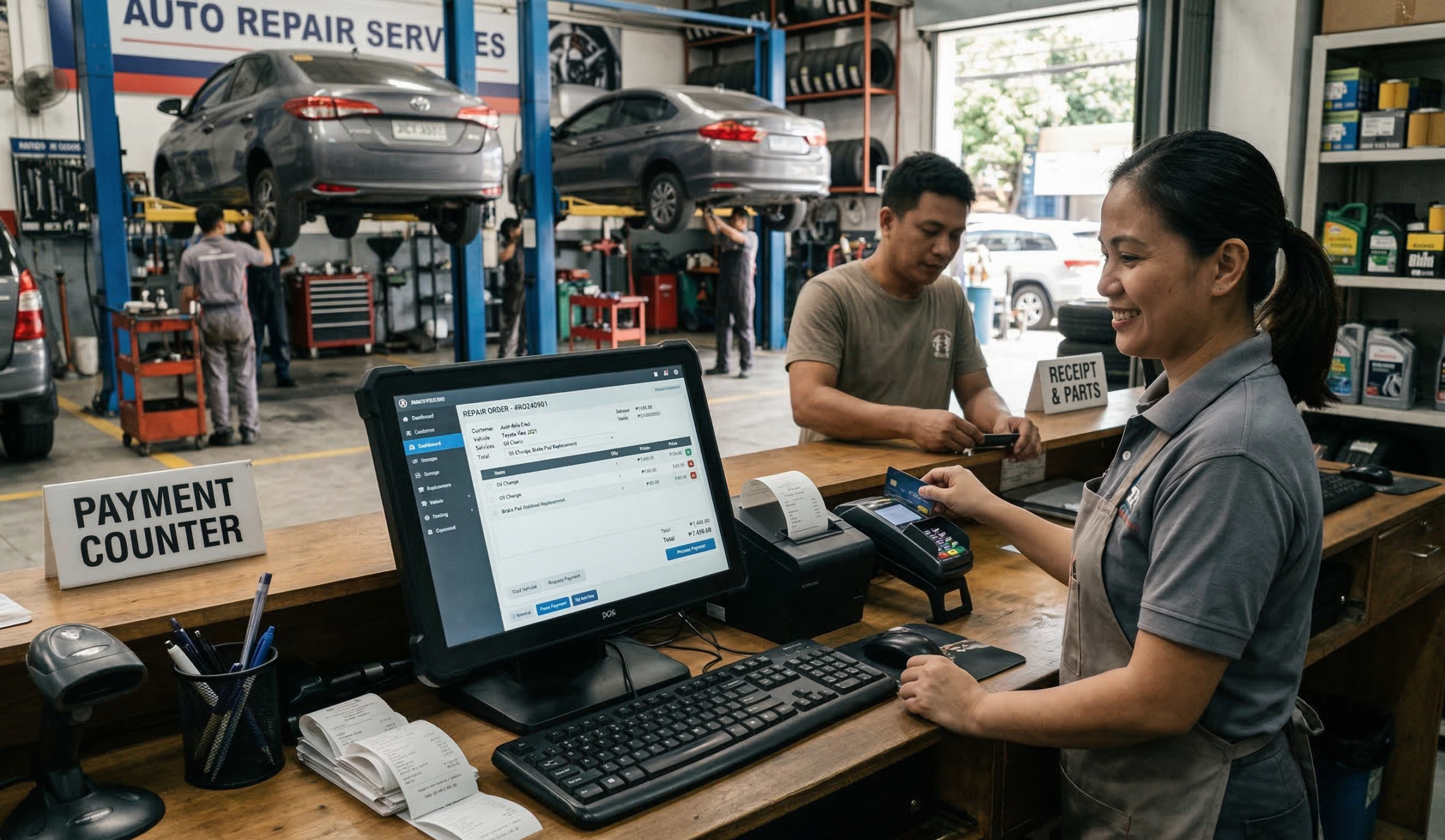
Auto repair businesses operate differently from typical retail stores. Instead of quick product sales, many rely on service industry POS solutions to manage multi-step service processes. These systems also provide POS data analytics and POS data reporting to track workflow efficiency and job progress.
A repair job usually involves diagnosing a problem, preparing a quote, ordering parts, assigning technicians, completing the repair, and finally billing the customer.
Because of this workflow, auto repair shops require POS systems that can manage:
Repair Orders or Job Tickets
Repair orders track vehicle details, diagnostics, required parts, labor hours, and job status.
Estimates and Quotes
Before work begins, customers often need to approve a repair estimate. A POS system should make it easy to create and share quotes.
Parts Inventory Management
Repair shops handle hundreds or thousands of parts. Proper inventory tracking through a purchase inventory system or purchase inventory management software prevents stock shortages and over-ordering. Advanced POS data systems can also track parts usage per vehicle or repair type for more accurate forecasting.
Labor and Technician Tracking
Different services may require different labor rates or technician skill levels. Tracking labor hours ensures accurate billing and better productivity monitoring.
Customer and Vehicle History
Maintaining service records helps shops provide better support and identify recurring issues with specific vehicles.
These features allow repair shops to operate more efficiently while maintaining accurate records for each service job.
Key POS Features to Look For
Choosing the right POS system means focusing on tools designed specifically for automotive service businesses.
Repair Order Management
A POS system should allow staff to create job tickets that include vehicle details, diagnostics, required parts, and assigned technicians. Status updates help managers track job progress and ensure repairs are completed on time. Repair shops can also review step-by-step tutorials to understand how digital job order systems work in real repair workflows.
Estimate and Invoice Generation
Customers expect transparent pricing before approving repairs. A POS system should allow shops to generate detailed estimates and convert them into invoices once the service is completed. This process simplifies billing and reduces manual paperwork. Businesses interested in exploring these features further can schedule a demo to see how automated invoicing improves daily operations.
Parts Inventory Control
Auto repair shops rely heavily on accurate inventory management. The POS system should track parts availability, supplier information, and reorder levels. Some systems also support vehicle-based parts lookup for easier identification.
Technician and Labor Tracking
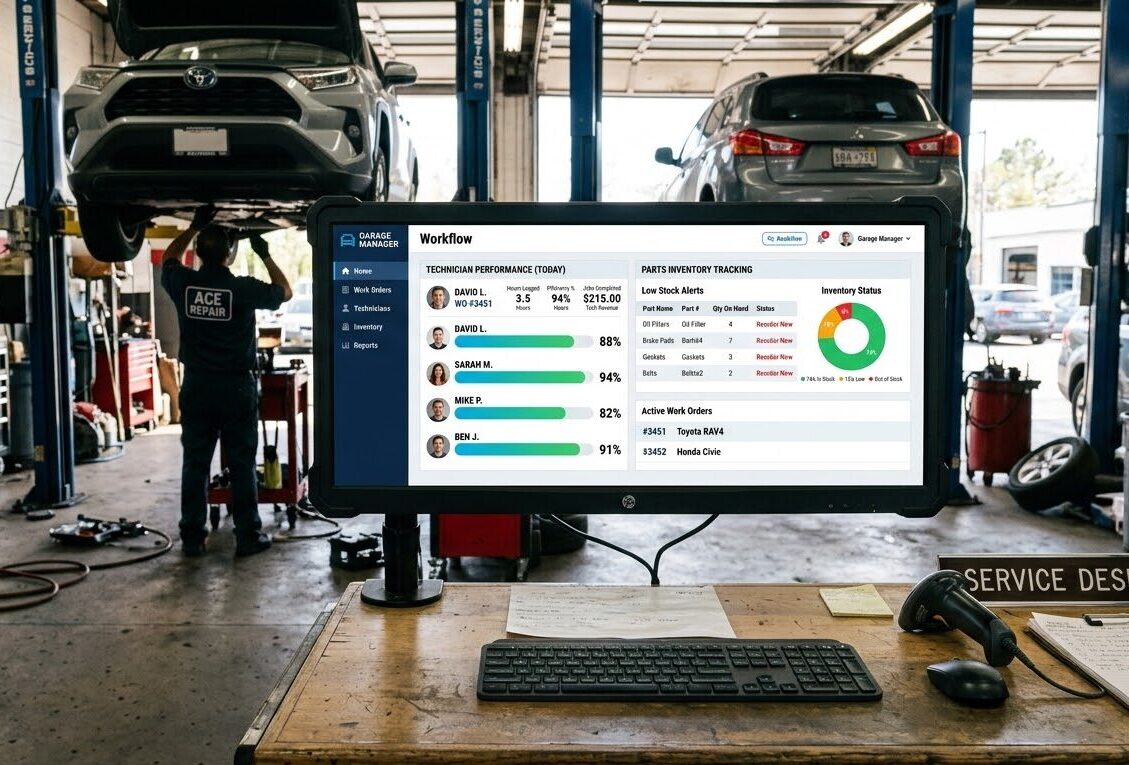
Tracking technician performance helps shop owners manage workloads efficiently. A POS system should record technician assignments, labor hours, and revenue generated from services. This data helps optimize scheduling and productivity.
Flexible Payment Processing
Repair jobs can be expensive, so flexible payment options are important. The POS system should support cash, credit cards, digital payments, deposits, split payments, or fleet billing.
Customer Relationship Tools
Customer management tools improve retention and satisfaction. The system should store customer and vehicle profiles, track service history, and send reminders for maintenance or follow-ups.
Reporting and Business Insights
Real-time reporting helps shop owners make informed decisions. Advanced POS analytics and point of sale analytics allow tracking of daily or monthly sales, parts versus labor profit margins, technician performance, and popular repair services. Detailed POS data reporting ensures accurate business insights.
Operational Considerations for Repair Shops
Technology works best when it aligns with daily operations. Consider how a POS system fits your workflow:
-
Service bay scheduling: Manage technician assignments and repair timelines.
-
Vehicle check-in/check-out: Record vehicle details during drop-off and pick-up.
-
Parts storage and movement: Track large components and ensure availability.
-
Customer communication: Send repair updates, estimates, and notifications.
A POS system that supports these processes improves efficiency and reduces delays.
Cost vs Value of a Repair Shop POS
Implementing a POS system involves both upfront and ongoing costs:
- Upfront costs: POS Hardware (computers, tablets, receipt printers), setup, and installation fees.
-
Recurring costs: Software subscriptions, system updates, and technical support.
-
Payment processing fees: Card and digital transaction fees.
While these expenses are important, the right POS system provides long-term value through faster invoicing, better inventory control, improved customer service, and reduced operational errors. Businesses can also explore additional inventory management guides in our resource center to better understand POS implementation.
How to Choose the Right POS System
Before selecting a POS system, repair shop owners should:
-
Identify the size of the shop, number of service bays, and weekly repair order volume.
-
List essential features: repair order management, inventory tracking, technician scheduling, and reporting tools.
-
Test the system with real workflows: creating estimates, assigning technicians, ordering parts, and generating invoices.
-
Ensure the POS provider offers reliable support and training, including a resource center, knowledge base, learning hub, tutorials, training materials, and how-to guides to help staff get started.
Conclusion
Auto repair shops require POS systems that go beyond basic sales transactions. The best solutions support repair order management, technician tracking, parts inventory control, and customer service tools, all in a single platform. A well-designed POS system streamlines daily workflows, reduces human errors, and helps shop owners stay on top of multiple repair jobs simultaneously.
Investing in the right POS system can also improve overall profitability. Accurate parts tracking prevents over-ordering or stock shortages, while labor and technician monitoring ensures fair and precise billing. Customer management features help retain clients through timely reminders and service history tracking, building trust and repeat business.
Ultimately, choosing the right POS system is not just about technology—it’s about improving your shop’s efficiency, enhancing the customer experience, and giving your business a competitive edge in the automotive service industry.
Ready to see how a modern POS system can transform your repair shop operations? Book a free demo with Condor POS Solutions today and discover how the right POS can help your business run more efficiently, save time, and boost customer satisfaction.
