

Running a busy restaurant with paper tickets can quickly become overwhelming. Orders pile up, handwritten notes become difficult to read, tickets get misplaced, and communication between the front-of-house and kitchen slows down service. During peak hours, these small issues often lead to delayed orders, unhappy customers, and unnecessary food waste.
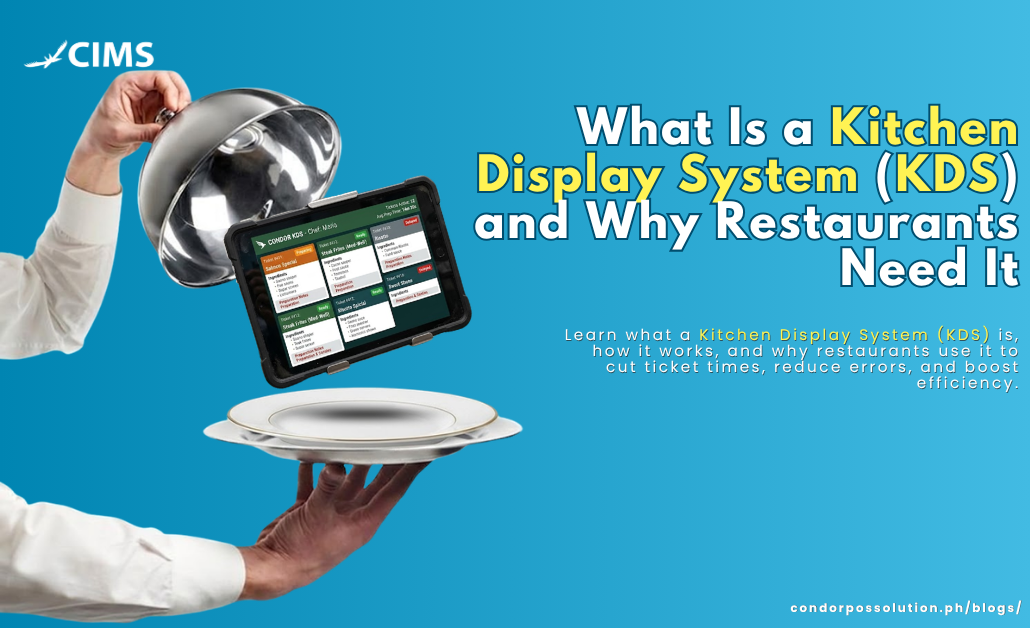
A Kitchen Display System (KDS) is a digital solution that replaces traditional paper tickets with real-time order displays in the kitchen, helping restaurant teams prepare food faster and more accurately.
In this guide, you’ll learn what a kitchen display system is, how it works, the key features to look for, and why modern restaurants are increasingly adopting KDS technology. Whether you operate a café, quick-service restaurant, full-service restaurant, or a multi-branch operation, implementing a KDS is becoming less of a luxury and more of a necessity.
What Is a Kitchen Display System (KDS)?
A Kitchen Display System (KDS) is a digital order management solution that displays incoming food orders on screens or tablets inside the kitchen instead of using printed or handwritten tickets.
Rather than relying on receipt printers, servers manually delivering tickets, or verbal communication, a KDS automatically receives orders from your Point-of-Sale (POS) system and instantly routes them to the correct kitchen stations.
A complete KDS system typically consists of:
- Digital display screens or tablets
- Kitchen Display software
- POS system integration
- Network connectivity for real-time communication
By digitizing kitchen workflows, restaurants can improve communication, reduce mistakes, and speed up food preparation.
How a KDS Works (Step-by-Step)
A modern kitchen display system for restaurants follows a simple workflow:
1. Customer Places an Order
Orders can come from multiple channels:
- POS terminal
- Self-ordering kiosk
- Online ordering
- QR menu ordering
- Delivery apps
2. Order Appears Instantly on Kitchen Screens
Instead of printing a paper ticket, the order immediately appears on the designated kitchen display.
3. Orders Are Routed to the Correct Station
Items are automatically separated based on preparation stations, such as:
- Grill
- Fry
- Salad
- Beverage
- Dessert
This ensures each kitchen team only sees the orders relevant to their station.
4. Kitchen Staff Updates Order Status
As food preparation progresses, cooks can mark orders as:
- New
- In Progress
- Ready
- Completed
This keeps everyone updated in real time.
5. POS and Front-of-House Stay Synced
Once an order is completed, the status automatically updates in the POS system so servers know exactly when food is ready for pickup or delivery.
Key Features to Look For in a KDS
Not every digital kitchen screen offers the same capabilities. The best KDS solutions include features designed to improve speed, accuracy, and overall kitchen efficiency.
Order Routing by Station
Automatically send menu items to the correct preparation area without requiring manual sorting.
Color-Coded Timers and Alerts
Visual timers help kitchen staff prioritize urgent orders and identify delays before they affect customers.
Multi-Station Support
Restaurants with several preparation areas can display different order queues on multiple kitchen screens.
POS and Online Ordering Integration
A quality KDS should integrate seamlessly with your POS system, online ordering platform, delivery applications, and self-service kiosks.
Order Bumping and Recall
Completed orders can be removed from the active queue while remaining accessible for review if needed.
Performance Analytics
Managers can monitor:
- Average preparation time
- Order completion rates
- Kitchen bottlenecks
- Peak operating hours
Cloud-Based Access
Cloud connectivity allows restaurant owners and managers to monitor kitchen performance from virtually anywhere.
Why Restaurants Need a Kitchen Display System
Restaurants today serve customers through dine-in, takeout, online ordering, and delivery platforms. Managing all these channels manually becomes increasingly difficult.
A restaurant kitchen technology solution like a Kitchen Display System offers measurable operational improvements.
1. Faster Order Times
Orders reach the kitchen instantly without waiting for servers to deliver paper tickets.
This reduces preparation delays and improves table turnover during busy hours.
2. Fewer Errors and Miscommunication
Printed tickets can fade.
Handwritten orders can be difficult to read.
Paper tickets can go missing.
A digital system eliminates these common problems by displaying every order clearly and consistently.
3. Better Kitchen Organization
Kitchen staff only see the orders assigned to their station.
This creates a cleaner workflow and minimizes confusion during lunch and dinner rushes.
4. Improved Customer Experience
Customers notice faster service.
They also appreciate receiving the correct order the first time.
Better service often leads to:
- Higher customer satisfaction
- Better online reviews
- Increased repeat business
5. Data and Performance Insights
A KDS captures valuable operational data, including:
- Average cooking times
- Delayed orders
- Peak business hours
- Staff productivity
- Kitchen efficiency trends
These insights help restaurant owners make informed operational decisions.
6. Supports Multi-Channel Orders
Today’s restaurants receive orders from multiple sources.
A KDS combines them into one centralized kitchen queue, including:
- Dine-in
- Takeout
- Delivery apps
- Online ordering
- Self-service kiosks
This prevents duplicate work and missed orders.
7. Reduces Paper Waste and Costs
Traditional kitchens rely heavily on:
- Receipt printers
- Paper rolls
- Printer maintenance
- Ink or thermal paper supplies
A digital kitchen significantly reduces these ongoing costs while supporting environmentally friendly operations.
KDS vs. Traditional Paper Ticket Systems
Unlike traditional paper tickets, a kitchen display system sends orders directly from the POS to digital kitchen screens in real time. This eliminates handwritten notes, lost tickets, and manual order delivery, helping kitchens work faster and more accurately.
A KDS system also makes it easier to manage multiple kitchen stations, online orders, and busy service periods. While paper ticket systems require ongoing costs for printers and paper rolls, a digital kitchen screen offers a more efficient, scalable, and eco-friendly solution for modern restaurant operations.
Who Should Use a Kitchen Display System?
A Kitchen Display System benefits nearly every food service operation.
It is particularly valuable for:
Quick-Service Restaurants (QSR)
Fast-moving kitchens require immediate order visibility.
Full-Service Restaurants
Improve communication between servers and kitchen staff.
Ghost Kitchens and Cloud Kitchens
Manage large delivery volumes efficiently.
Multi-Location Restaurant Chains
Standardize kitchen operations across multiple branches.
High-Volume Cafés and Bars
Handle simultaneous dine-in and takeaway orders with greater efficiency.
How to Choose the Right KDS for Your Restaurant
Before investing in a Kitchen Display System, consider the following factors.
POS Compatibility
Choose a KDS that integrates directly with your existing POS platform.
Condor POS provides seamless Kitchen Display integration, allowing orders to flow automatically from cashier to kitchen.
Ease of Use
Kitchen staff should be able to learn the system quickly with minimal training.
Simple interfaces reduce onboarding time and improve adoption.
Scalability
Select software that can grow alongside your business, whether you’re operating one location or expanding into multiple branches.
Hardware Requirements
Ensure the KDS supports affordable, durable display screens or tablets suitable for commercial kitchens.
Reliable Customer Support
Technology issues during operating hours can impact service.
Choose a provider that offers responsive technical support and regular software updates.
How Condor POS’s Kitchen Display System Helps Restaurants
The Condor POS Kitchen Display System is designed to simplify restaurant operations while improving speed and accuracy.
With seamless integration into the Condor POS ecosystem, kitchen staff receive orders instantly without relying on paper tickets or manual communication.
Key benefits include:
- Real-time order synchronization
- Automatic station routing
- Easy-to-read kitchen displays
- Faster order preparation
- Reduced kitchen errors
- Cloud-based restaurant management
- Simple setup and onboarding
Whether you’re running a single restaurant or managing multiple locations, Condor POS helps streamline kitchen workflows and improve customer satisfaction.
See how Condor POS’s Kitchen Display System can transform your restaurant operations. Contact our team today to schedule a free product demo.
If you’re looking for an integrated solution, Condor POS’s Kitchen Display System combines real-time kitchen communication with powerful restaurant management tools—all within one platform.
Book a free demo today and discover how Condor POS can help your restaurant serve customers faster, smarter, and more efficiently.
